


August 10, 2026
Guide to Entry and Exit Procedures
How to Display Electronic Tickets
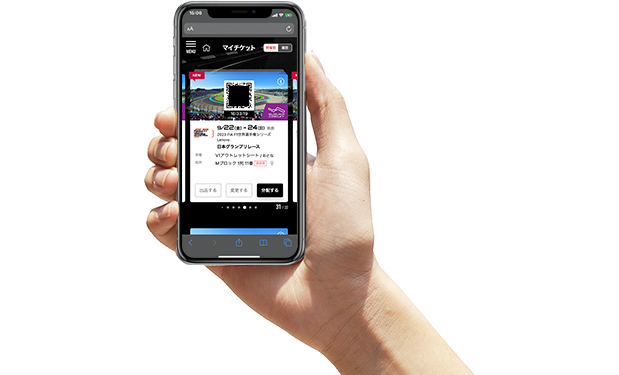
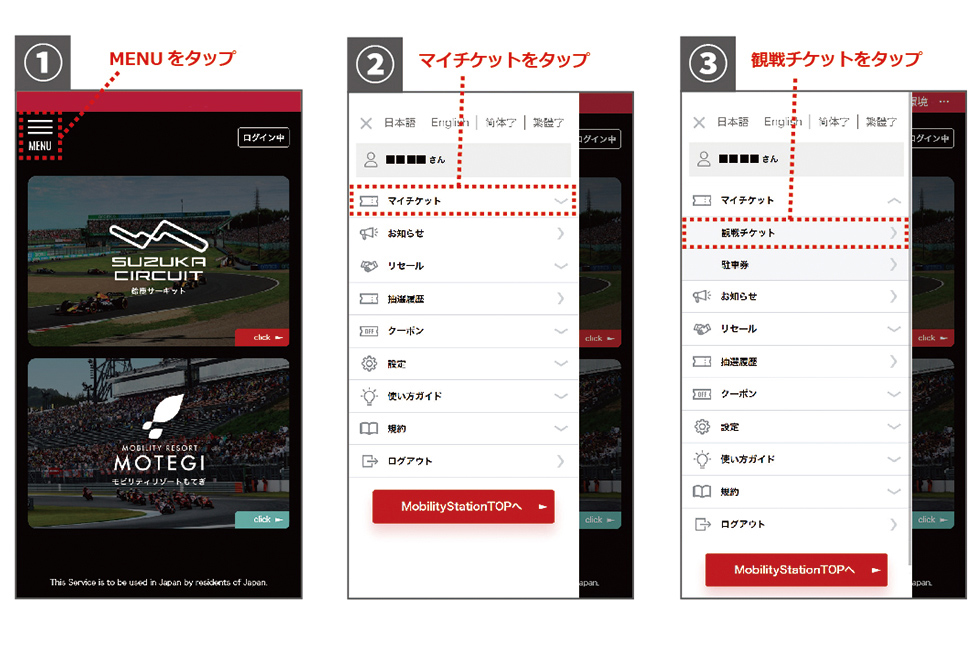
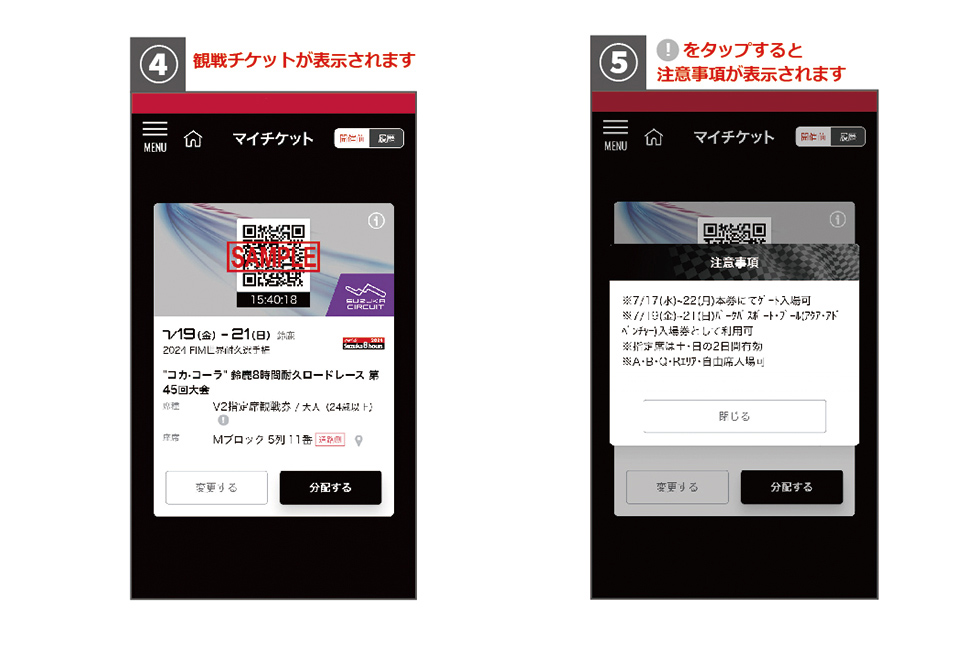
When logged into MobilityStation, tap My Tickets from the MENU at the top left, then select "Admission Ticket" or "Parking Ticket" to display the tickets you have purchased.Precautions for each ticket can be confirmed by tapping the "!" in the seat type column of the ticket.
[If You Have a Pre-Sold Parking Ticket] How to Enter the Parking Lot
At your first entry, please present one parking ticket QR code per vehicle to the staff at each parking lot entrance.After scanning the QR code, you will be given a hanging-type parking ticket. Please hang it on your rearview mirror during the race and event period.
For entry from the second time onward, please present the hanging-type parking ticket you were given to enter. (The QR code becomes invalid after the first scan.)
* Parking tickets cannot be reissued
E-Tickets holders, please tap "My Tickets" from the MENU in the upper left corner while logged in to MobilityStation, and your purchased parking tickets will be displayed.
Parking tickets issued at 7-Eleven
Please be sure to bring the issued ticket. Purchase history alone will not allow entry.
The QR code on the issued parking ticket will become invalid after the first scan.
| Parking Lot | Entrance gate |
|---|---|
| P1 Wheelchair Parking | Bus/Taxi Gate |
| Common to P2 and P3, P4, P6 (paved, height limit 2.3m) * Including EV-only |
Parking Gate |
| Suzuka Traffic Education Center | Motorsports Gate Please present your admission ticket purchased along with the dedicated parking ticket. |
Admission Method
Please present one "admission ticket" or "admission ticket with ticket" per person to the staff at the entrance gate.* You may use any of the open gates regardless of first entry or re-entry.
Staff will scan the QR code with a dedicated device to verify your ticket, so please enter after the check is complete.
Staff will scan the QR code with a dedicated device to verify your ticket, so please enter after the check is complete.
* If you have multiple electronic tickets together, it is smoother to print them at home in advance or use the "distribution" feature on MobilityStation so each person can bring their own ticket.
>>Click here for details on how to print tickets
>>Click here for details on ticket distribution
* We recommend saving the QR code by screenshot or similar means (it will only be checked or used in emergencies such as system failures or communication disruptions).
* The current time is displayed at the bottom of the QR code. Please have a screen ready where the time display is moving under normal conditions.
Exit Procedure
If you do not re-enter on the same day, you do not need to scan the QR code of the "admission ticket" or "ticket with admission ticket." Please exit through the gate as is.If you temporarily exit and plan to re-enter on the same day, you will need to have your QR code scanned at the time of exit, so please inform the staff.
* You can re-enter from gates other than the one you temporarily exited from.
* You may use any of the open gates regardless of first entry or re-entry.
Entrance method for designated seats and Paddock Passes
Please present one ticket per person to the staff at the entrance when entering.The staff will check your ticket, so please enter after the check is completed.
* If you have multiple electronic tickets together, it is smoother to print them at home in advance or use the "distribution" feature on MobilityStation so each person can bring their own ticket.
>>Click here for details on how to print tickets
>>Click here for details on ticket distribution
How to Enter VIP Suite Premium, Hospitality LOUNGE, etc.
Please present one ticket per person to the staff at the entrance when entering for the first time.After our staff has checked your ticket, we will exchange it for a plastic pass that is valid for the duration.
Please use the exchanged pass during the race event period.
※If you have multiple tickets and want to hold them all on one device, it is possible to give all the tickets to the representative who has the device.
* If you print in advance at home or perform "distribution" at MobilityStation and bring the passes individually, it is also possible to hand the passes to each person.
| Ticket Type | Plastic Pass Exchange Location |
|---|---|
| VIP Suite Premium | VIP Suite Premium Entrance |
| Hospitality LOUNGE | Pit Building 2F Hospitality LOUNGE No.1 |
| Hospitality Club | Pit Building 3F Hospitality Club No.6 |
| Hospitality Club Private | Pit Building 3F Hospitality Club No.4 |
>>Click here for details on how to print tickets
>>Click here for details on ticket distribution
※QR code is a registered trademark of DENSO WAVE INCORPORATED.